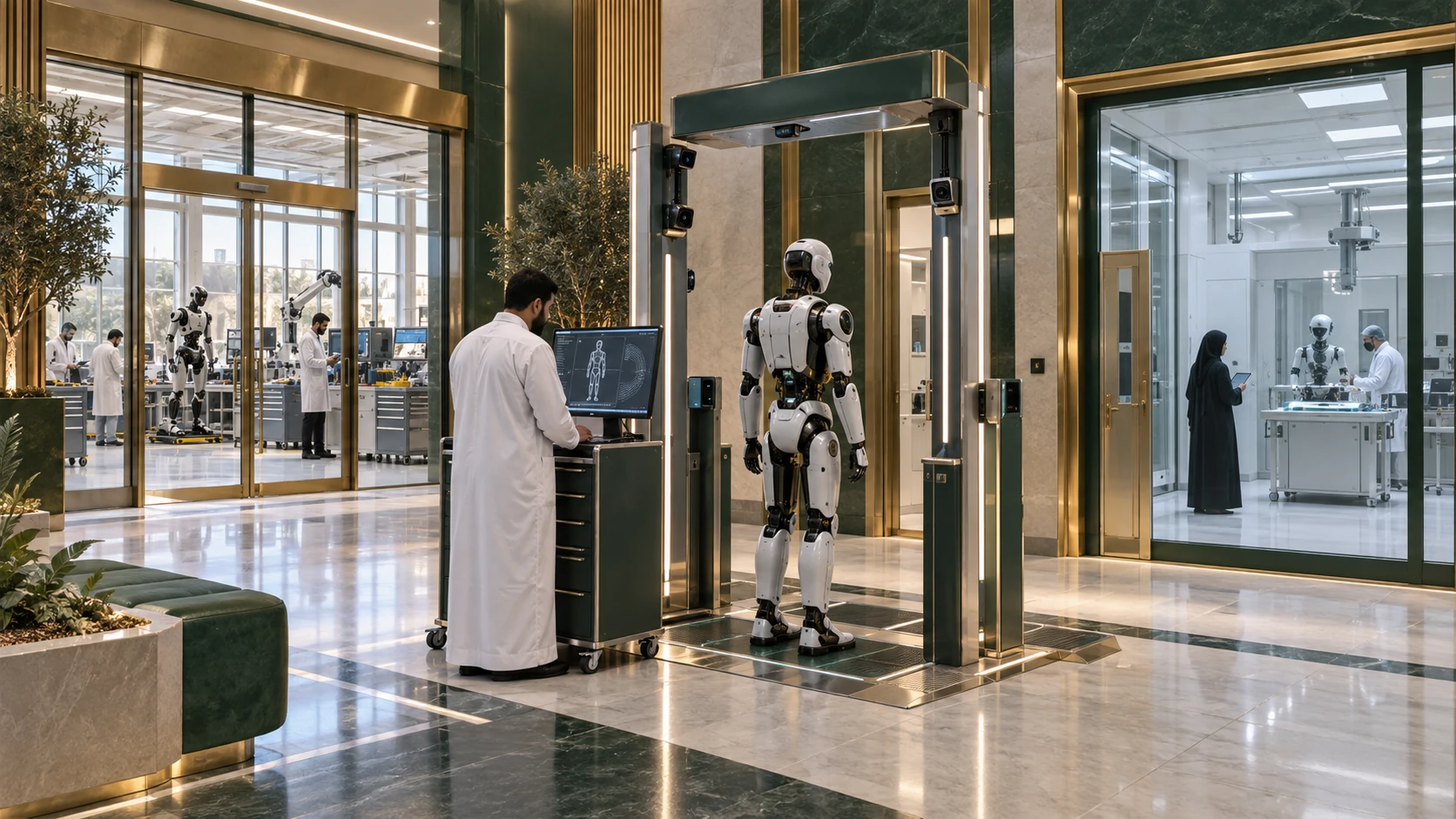

Robot Digital Identity Center
A trust record accompanying each robot through its lifecycle, connecting ownership, tasks and permissions with operations, maintenance and events.
View facilities & explanationsInside the space,
the details take shape.
A registration and verification center combines a calm reception, identity-check stations and enrollment desks, backed by restricted digital-infrastructure areas. A clear journey moves from asset identification to ownership and permission review, then record linking. The interface displays service-relevant information without exposing secrets or unnecessary visitor data.
Emerald stone, timber and glass reception
Separated verification stations and private review spaces
Digital infrastructure behind controlled-access boundaries
Every unit, explained.
Every facility is explained below. Use the index to jump directly to a facility.
Enrollment & unique identification
Create an asset record linking the device with its configuration, owner and authorized use.
What happens here?
Collect authorized identity data
Review ownership or authorization evidence
Record configuration, version and initial state
An internal project identity and traceable asset profile.
Tasks & professional history
Connect robot roles, experience and operating hours with reviewable context.
What happens here?
Define the role and operating scope
Retain documented tasks and achievements
Distinguish recorded experience from tested capability
A professional profile linked to operating evidence.
Permissions & trust status
Define asset access and how permissions change during maintenance or suspected compromise.
What happens here?
Link permissions to task and organization
Record changes and suspend access when required
Review restoration after verification
Documented, scoped trust and permission state.
Maintenance, versions & events
Maintain repair, update and incident history with clear links to the asset.
What happens here?
Record components, versions and changes
Link hospital and testing reports
Preserve event order and provenance
A lifecycle record connecting technical and operational state.
Tracking & local operation support
Support verification during disconnection and subsequent reconciliation with central records.
What happens here?
Define locally available information
Time-stamp queued events
Review conflicts before synchronization acceptance
Synchronization record and actionable conflict notes.
From intake to outcome.
An illustrative route linking the units and showing how work moves between them.
Identify the asset
Collect asset data, configuration and authorization source.
- 01
Identify the asset
Collect asset data, configuration and authorization source.
- 02
Review ownership & roles
Connect owner, operator and task.
- 03
Set permissions
Define access and service boundaries.
- 04
Record lifecycle events
Link operations, repairs, updates and tests.
- 05
Review trust state
Update state after transfer, incident or return to readiness.
Robot Digital Identity Center
The image proposes a relationship between work areas, circulation and service. Zones and materials can evolve; it does not establish engineering dimensions or approved final equipment.
How does the concept work in practice?
Robot transfers to a new operator
An authorized party reviews ownership and operation records and updates future permissions while preserving the prior history.
A clear separation between historical records and new authority.
Robot returns after repair
The hospital report links changes and tests, followed by a trust-state review before the task resumes.
An updated identity reflecting the documented asset state.
Clear ownership. Documented outputs.
Enrollment officers
Review identity data, ownership and authority.
Identity & access management
Defines access and reviews changes.
Integration & audit
Links sources and preserves record continuity.
What does this area deliver?
01Internal identity and asset record
02Professional profile and operating history
03Permission and trust-state history
04Linked maintenance, testing and incident reports
What is reviewed before operation?
01Prevent duplicate records and asset confusion
02Identify the source and time of updates
03Limit displayed data by role
04Review ownership and trust changes before restoring access
Proposed review areas, not a readiness certificate or operating approval.Connected to the wider city.
Continue into the detailed pages of related facilities and systems.